




Finding ways to improve productivity is one of the most important goals to achieve in today’s businesses. Taking advantage of the special tools offered by Microsoft Office to improve productivity, requires in-depth knowledge of its operation.
Assessment: Word Basic, PowerPoint Basic, Excel Advanced
€31,00
Hard skills assessment for Office employees – Advanced level
Find out the true level of skills of your future or current employees, and plan their training based on results.
Find out more…
| Buy more to get extra discount! | 2 | 5% |
| Buy more to get extra discount! | 3 + | 10% |
Assessment: Word Basic, PowerPoint Basic, Excel Advanced
The assessment syllabus covers the following topics in Word, Excel, and PowerPoint:
- Word
- View, layout, and print documents
- Format Text and Paragraphs
- Header, Footers, and Page numbering
- Tables and Lists
- Excel
- Headers and Footers
- Pivot Tables
- Conditional Formatting
- Slicers
- Remove Duplicate Data
- Formulas and Functions
(SUM, AVERAGE, COUNT, MIN, MAX, AVERAGEIF, OFFSET, SUMIF, AVERAGEIFS, COUNTIFS, VLOOKUP, INDEX, MATCH, DAY, MONTH, DATE)
- PowerPoint
- Using Slide Masters
- Formatting and Themes
- Charts, Graphical Objects, and Multimedia
- Animations and Transitions
TEST4U Desktop version
The assessment syllabus covers formulas and functionality common in the following versions of Microsoft Office: Microsoft Office 2016, Microsoft Office 2019, Microsoft Office 2021, Microsoft Office 2024, Microsoft 365.
TEST4U Cloud version
This assessment can also be taken online, in the browser, with nothing to install. The TEST4U Cloud version tests the same skills. Online assessments are available in English and Greek.

Number of assessment questions: 33

Duration of the assessment: 60′

Test4u.eu exclusive innovation Candidates are assessed with real tasks under actual working conditions, not with multiple-choice questions: in the real applications with TEST4U desktop, or, for Word, Excel and PowerPoint assessments, online in the browser with no software to install.

Take a look at the assessment interface

Explore how to invite candidates to join the assessment

How to interpret the results of your Candidates’ assessment

Technical support is provided via the Ticket system

Looking for something different?TEST4U can take over the assessment process.
- We have more than 6000 questions, ready to populate the ideal assessment test for the job position you wish to cover.
- If your need is even more specialized, we can program new questions for you.
| Language | Inglés |
|---|---|
| Application | Excel, Word, PowerPoint |
Productos relacionados

Microsoft-Certiport
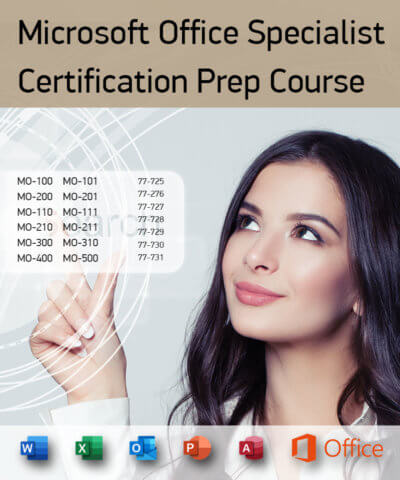
Microsoft Office Specialist Certification Prep Course – English
Rango de precios: desde €29,00 hasta €75,00
Microsoft Office
Rango de precios: desde €31,00 hasta €44,00
Para Formación
Rango de precios: desde €11,00 hasta €29,00

Assessments per job position
€62,00
Developer
Rango de precios: desde €29,00 hasta €44,00
Microsoft Office
Rango de precios: desde €31,00 hasta €44,00
Microsoft-Certiport
Rango de precios: desde €12,00 hasta €25,00
Microsoft Office
Rango de precios: desde €31,00 hasta €48,00